Skip to content
Book a consultation
SmartShare · Document management for growing businesses

SmartShare document management for small and medium businesses

SmartShare keeps the simple folders your team already understands and adds the control of an enterprise system: version history, secure sharing that expires on schedule, one-click filing and alerts when a document needs action.

No IT support needed to set up
Secure links that expire
English and Chinese search
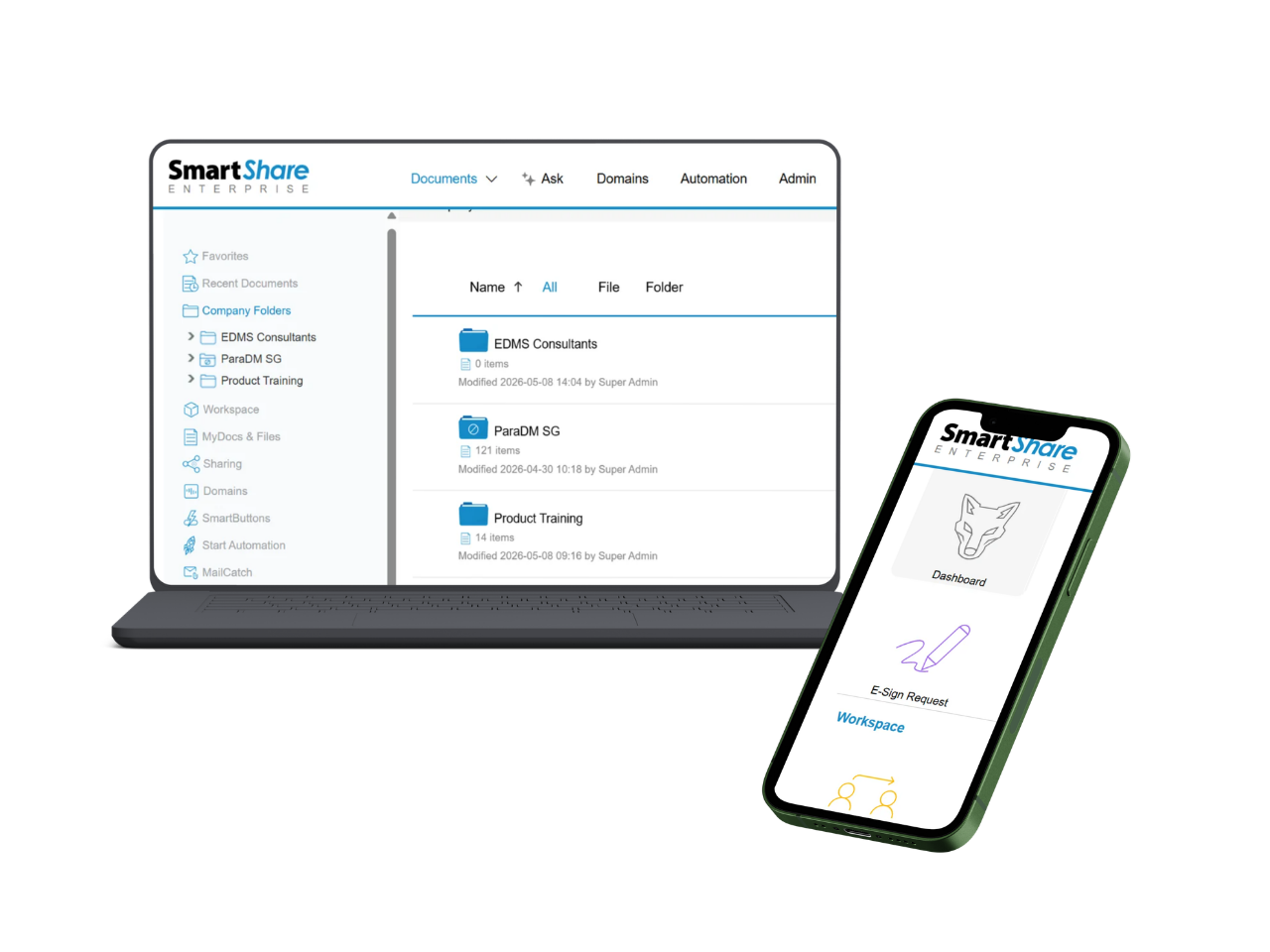
SmartShare company folders on a laptop and the Wolf dashboard on a phone
Version control
Check-in and check-out
SmartButtons
Wolf dashboard
Advanced sharing
Watermarking
Document analytics
Two-factor authentication
Fuji Xerox MFD
Dropbox
Open API
What is SmartShare?

One home for documents that today live in email, USB drives and chat

Most growing companies keep proposals, contracts and records across inboxes, shared drives and messaging apps. Nobody is sure which version is current, and nobody can tell who opened a file once it leaves the building.

SmartShare brings those documents into one cloud repository organized in folders your team recognizes, with version control, permissions and a full audit log behind every file. Setup takes three steps and needs no IT team.

Features of SmartShare

Less manual filing, faster follow-up

01

Automatic classification and tags

Uploaded documents are classified and tagged from file type, folder and your business rules, so every file stays easy to find.

02

Search in English and Chinese

Find documents by name, content, tag or metadata in English and Chinese, however many files you hold.

03

SmartButtons

One click files a document with the right type, folder and metadata, which keeps structures consistent across teams.

04

Wolf alerts

Wolf watches document activity and tells the right person when a file is uploaded, revised, opened or about to expire.

05

Document analytics

Views, downloads and shares are tracked so you can see which proposals and brochures customers actually read.

06

Version control

Check-in and check-out with full version history means nobody overwrites a colleague’s work.

Interactive demo

Follow one quotation from the scanner to a tracked link that expires on time

Scan a signed quotation on the office MFD, file it with a single SmartButton, share it with a customer under your rules, watch Wolf log every view, then see the link close on schedule.

Interactive preview using sample data from a fictional Malaysian company. Names, documents and figures are illustrative, and the screens are simplified from the actual product.

Secure sharing

Share files outside the company without losing control

Every link you send can carry an expiry date, a download limit, a watermark or a view-only setting. Self-destructing documents are revoked automatically once their job is done.

Each view and download is logged, so you know who accessed a proposal, when, and how often, and the audit trail is ready if a customer or auditor asks.

Expiring and self-destructing links

Access ends on the date you set, with no follow-up needed.

Watermarks and view-only mode

Sensitive files stay readable without being reusable.

Two-factor authentication and 256-bit encryption

Accounts and documents are protected end to end.

Integrations

Connected to the tools your team already uses

SmartShare works with email and office tools, multifunction printers, cloud storage and business applications, so documents stop living in separate silos.

Capture and access
  • File and share from email and office tools
  • Scan, file and share from the Fuji Xerox MFD panel
  • Bring Dropbox folders under the same controls
  • Use any mobile browser, with no app to install
Organize and act
  • Industry folder templates for finance, legal, AEC, healthcare and logistics
  • Open API to connect business applications
  • Wolf dashboards and reader insights
  • Retention, expiry and audit logs on every file
Use cases

How teams use SmartShare

01

Sales and marketing

Archive proposals, quotations and catalogs with version control, share brochures with tracked views and see which content customers read.

02

Finance and accounts

Folder templates, folder-level permissions and audit logs keep financial records visible only to authorized staff.

03

Projects and engineering

Notifications when project files change, consistent folders through SmartButtons and controlled sharing with contractors and clients.

04

Legal and service

Full-text search across contracts and service records, check-in and check-out, and expiring shares for sensitive files.

05

Human resources

Role-based access to policies and onboarding files, with alerts when a policy or circular is updated.

FAQ

Questions about SmartShare

Can’t find your answer? Talk to our team.

What is SmartShare?

SmartShare is a cloud document management system built by ParaDM for small and medium businesses. It keeps the familiar folder structure your team already knows and adds version control, controlled sharing, analytics and integrations, without on-premise servers to run.

Do we need an IT team to set it up?

No. Setup takes three steps and needs no IT support. Ready-made folder templates for finance, legal, marketing, AEC, healthcare and logistics get each department working from the first day.

How does SmartShare control documents we share outside the company?

Every share can carry an expiry date, a download limit, a watermark or a view-only setting. Self-destructing links are revoked automatically, and each view and download is recorded so you know exactly who opened what.

What are SmartButtons?

A SmartButton files a document in one click. It sets the document type, the folder and the metadata tags in a single step, so filing stays consistent across the whole team.

What is SmartShare Wolf?

Wolf is the SmartShare activity dashboard. It follows document activity as it happens, alerts the right people at the right moment and can upload, rename and organize files automatically.

Can we scan from our office multifunction printer?

Yes. SmartShare for MFD works with Fuji Xerox multifunction devices, so staff scan, file and share from the device panel in one step.

How secure is SmartShare?

Documents are protected with two-factor authentication, 256-bit encryption, folder-level permissions, access permission reports and a full audit log of document activity.

Who supports SmartShare in Malaysia?

EDMS Consultants delivers and supports SmartShare from Kuala Lumpur, including onboarding, folder and SmartButton setup, training and ongoing support after go-live.

See SmartShare with your own folders

Walk through folder templates, SmartButtons, secure sharing and Wolf alerts using your own documents. EDMS Consultants delivers and supports SmartShare in Malaysia.